/
/
Best VPNs for USA

In 2026, we tested and compared the best VPNs for the USA the way most people end up using them in real life: streaming at home, browsing on mobile, and signing into accounts on public Wi-Fi. The services that made this list were the ones that stayed reliable on speed, had a clear approach to privacy (including no-logs claims), and used modern encryption by default without making everyday connections feel fiddly.

Whether you’re trying to keep airport Wi-Fi from snooping on your traffic, cut down how much your ISP can see, or access region-limited content while traveling, the details matter. We prioritised VPNs with consistent apps for Windows, macOS, Android, and iOS, plus practical router support so coverage can extend to smart TVs and consoles.

Best VPNs for the USA in 2026: Privacy, Security, and Everyday Use

Ech the Tech Fox’s practical picks for VPNs that work well in the USA
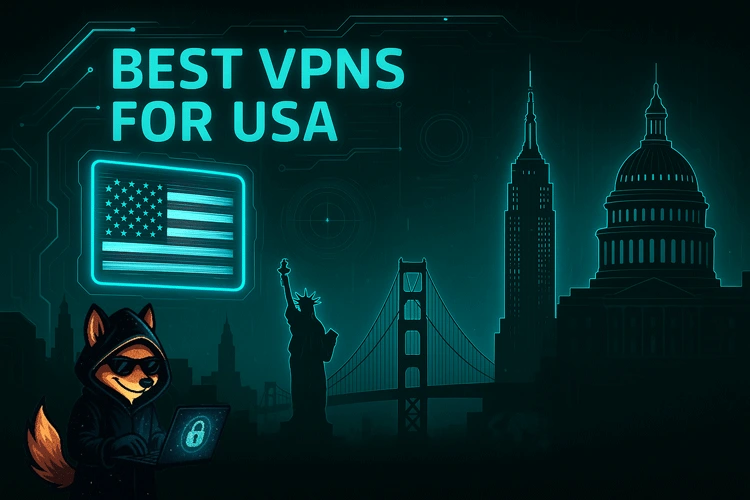
Fast and secure: Ech’s shortlist of VPNs for the USA that balance privacy with usability

The best VPNs for the USA in 2026 are the ones you can actually use every day. That usually means consistent speeds, modern encryption, straightforward apps, and settings that help reduce tracking without breaking websites or streaming apps.

Ech says: "When I’m testing VPNs in the US, I pay attention to the boring stuff that matters: how quickly it reconnects on public Wi-Fi, whether it leaks DNS, and how easy it is to switch servers when a site refuses to load."

STREAM MORE SAFELY
REDUCE TRACKING
VALUE-FOCUSED PLANS

This website contains affiliate links. There’s no extra cost to you — if you buy through a link, we may earn a small commission to support the site.

BEST 3 VPNS FOR THE USA SHORTLIST

Quick picks for everyday privacy, safer public Wi-Fi, and flexible U.S. server locations

If you want a VPN for the USA that is easy to live with, start here. These are Ech’s go-to picks for 2026.

NORDVPN - MOST CONSISTENT ON BUSY U.S. NETWORKS

NordVPN is the “set it and forget it” choice when you are on crowded networks, like airports, hotels, or shared apartment Wi-Fi. It is a practical pick if you want fewer disconnects and less trial-and-error across U.S. server locations.

READ NORDVPN REVIEW VISIT NORDVPN

SURFSHARK - BEST FOR MULTI-DEVICE HOUSEHOLDS

Surfshark is a strong fit if you want one plan across phone, laptop, tablet, and streaming devices, thanks to unlimited simultaneous connections. It is best used with nearby U.S. servers for a steadier day-to-day feel.

READ SURFSHARK REVIEW VISIT SURFSHARK
EXPRESSVPN - PREMIUM PICK (USUALLY MOST EXPENSIVE)

ExpressVPN is the premium option here and is usually the most expensive. It suits people who want a polished app, quick connections, and steady reliability on U.S. networks, and who are happy to pay more to avoid fiddling.

READ EXPRESSVPN REVIEW VISIT EXPRESSVPN

ECH’S 2026 VPN REVIEWS FOR THE USA

Honest, practical VPNs for the USA
PUREVPN: VALUE REVIEW

PureVPN is a budget-friendly option with a large server footprint and solid day-to-day speeds, including plenty of U.S. locations for local browsing and travel use. In 2026, it’s a sensible low-cost pick for people in the USA who want safer public Wi-Fi, straightforward apps, and a simple way to reduce network-level tracking without paying premium prices.

READ PUREVPN REVIEW

NORDVPN: SPEED & SECURITY REVIEW

NordVPN often lands at a mid-range price when longer plans are discounted, and it tends to perform well on U.S. connections for streaming, video calls, and everyday browsing. For 2026, it’s a strong fit for U.S.-based users who want quick server switching, dependable apps, and a polished balance of security features without feeling like you have to babysit the settings.

READ NORDVPN REVIEW

SURFSHARK: UNLIMITED DEVICES REVIEW

Surfshark is best known for unlimited device connections, which can be genuinely useful in U.S. households with multiple phones, laptops, streaming sticks, and tablets. In 2026, it remains a good-value option if you want one subscription to cover everything, plus the flexibility to jump between U.S. server cities when a site or app behaves differently by location.

READ SURFSHARK REVIEW

EXPRESSVPN: PREMIUM PERFORMANCE REVIEW

ExpressVPN is usually priced higher than most competitors, but it’s known for polished apps and steady performance across many U.S. networks. If you want a VPN that feels low-maintenance for everyday browsing, travel, and public Wi-Fi, it can be a reasonable spend in 2026, especially if you value a smooth experience more than squeezing out the lowest monthly cost.

READ EXPRESSVPN REVIEW
CYBERGHOST: BEGINNER-FRIENDLY REVIEW

CyberGhost is a lower-cost VPN with beginner-friendly apps and clearly labelled servers for common tasks. For U.S. users in 2026, it’s a decent choice if you want a simple interface, a broad set of U.S. locations, and privacy basics without digging through advanced settings. Streaming results vary by platform, so it is best treated as a convenience rather than a promise.

READ CYBERGHOST REVIEW

IPVANISH: EVERYDAY PRIVACY REVIEW

IPVanish is a well-known provider with unlimited device connections and straightforward apps. It’s a useful budget-leaning option for people in the USA who want to secure multiple devices, keep logins safer on shared Wi-Fi, and maintain consistent performance for regular browsing and video streaming on U.S. servers.

READ IPVANISH REVIEW
PRIVADOVPN: FLEXIBLE PLANS REVIEW

PrivadoVPN is known for offering a usable free tier alongside paid plans, which can help U.S. users try a VPN before committing to a longer subscription. For 2026, it works best as a stepping-stone for safer Wi-Fi and basic privacy, with the paid tier typically being the more practical option if you want better speeds and more U.S. server choice.

READ PRIVADOVPN REVIEW

HIDE.ME: PRIVACY-FIRST REVIEW

Hide.me focuses on privacy features and relatively simple apps, aiming for a sensible balance between security and cost. For users in the USA who mainly want encrypted browsing on public networks and a service that keeps the experience straightforward, it’s a solid budget-conscious contender in 2026, especially if you prefer a less “salesy” approach to features.

READ HIDE.ME REVIEW
ZOOGVPN: SIMPLE BUDGET REVIEW

ZoogVPN is a low-cost VPN with simple apps and the core features most people need. In the USA, it’s aimed at straightforward everyday browsing and basic privacy, making it a reasonable entry-level option in 2026 for users who want something lighter and no-fuss rather than a feature-heavy service.

READ ZOOGVPN REVIEW

Best VPN Deals for the USA

Top USA VPN Offers for Everyday Privacy and Streaming in 2026

PureVPN Logo

PureVPN: 88% Off

PureVPN’s long-term plan is priced at $1.49 / £1.20 per month. For U.S. use, it’s a practical budget pick if you want a simple app, a large server network, and enough U.S. locations to switch when a site is fussy about IP location. Streaming results vary by platform, but it’s generally a solid option for everyday privacy and safer Wi-Fi.

Claim 88% Off PureVPN Now
NordVPN Logo

NordVPN: 77% Off + 3 Months Free

NordVPN’s 2-year plan comes to $2.99 / £2.29 per month and adds three extra months. For the USA, it’s a strong all-rounder with fast connections, a dedicated app on most platforms, and plenty of U.S. server locations for switching regions when needed.

Claim 77% Off NordVPN Now

How a VPN Protects Your Privacy in the USA (What You’ll Actually Notice)

Practical privacy gains you can feel day to day, not just on paper

Your IP Address Is No Longer the Default Identifier

When you connect to a VPN, the sites you visit see the VPN server’s IP address rather than your home or mobile IP. In real use, that usually means fewer location-based assumptions, less reliable profiling based on your network, and fewer cases where your IP alone is enough to tie browsing sessions together. It does not make you anonymous, though. If you sign into Google, Amazon, or a social account, those services can still link activity to you.

Public Wi-Fi Becomes a Lot Safer to Use

On airport, hotel, and café Wi-Fi, the VPN creates an encrypted tunnel between your device and the VPN provider. Practically, that reduces the risk of people on the same network snooping on your traffic, capturing session data, or interfering with connections. In my own testing, this is where a kill switch matters most: if the VPN drops for a moment, you want traffic to pause rather than quietly fall back to the open network.

Your ISP Gets a Narrower View of What You Do

Without a VPN, your ISP can typically see which domains you’re connecting to, plus timing and volume data. With a VPN enabled, your ISP mainly sees an encrypted connection to a VPN server and how much data is moving, not the specific sites or services you’re using inside the tunnel. This can reduce some forms of traffic shaping that depend on identifying what you’re doing, but it is not a fix-all. If your connection is slow because of local congestion, a distant VPN server can make speeds worse rather than better.

Why People in the USA Use a VPN in 2026

The everyday reasons a VPN is still useful, even with “secure by default” apps

Limit What Your ISP and Networks Can See

In the US, your internet provider still sits between you and the wider internet, which means it can observe connection data even when websites use HTTPS. A VPN reduces that visibility by encrypting your traffic between your device and the VPN server, so your ISP generally sees a connection to a VPN service rather than the specific sites you visit. What it cannot do is erase your identity on sites you log into, or stop tracking that happens inside apps.

Get More Consistent Performance on Busy Networks

A VPN cannot “boost” your internet speed in a reliable way, but it can help in specific situations where a network is shaping traffic based on what it thinks you are doing. I see this most often on hotel Wi-Fi and some mobile connections, where certain video or download traffic behaves oddly until the VPN is on. Results vary by provider, server distance, and the network you are using, so it is worth testing a few nearby US server locations rather than assuming one will always work.

Use Your Accounts Safely While Traveling (And Handle Regional Rules)

If you travel outside the US, a VPN can make it easier to access US-based services that flag foreign logins or serve different content by region. Inside the US, it can also help when a service behaves differently across states, although it will not bypass paywalls or fix account-based restrictions. Streaming access is inconsistent by platform and can change without warning, so I treat it as a bonus rather than the main reason to buy a VPN.

Why Use a VPN When Visiting the USA

Key Benefits of Using a VPN for Travelers in the USA

Protect Your Online Privacy

In the U.S., your traffic can still be profiled in ways that feel invisible day-to-day, especially when you are bouncing between mobile data, hotel networks, and public hotspots. A VPN helps by encrypting your connection and hiding your real IP address from the sites you visit, which can reduce routine tracking and make it harder to tie your browsing to a specific location. It will not stop tracking that happens inside logged-in accounts, but it does limit what networks and casual observers can see.

Secure Hotel & Public Wi-Fi

Hotel and airport Wi-Fi in the U.S. is convenient, but it is also shared infrastructure, and that is where simple mistakes become costly. When I test VPNs on captive portals and café networks, the practical benefit is consistency: once the VPN reconnects, your traffic stays encrypted even if the network is noisy or poorly configured. This is most useful for sign-ins, email, ride-share apps, and anything involving payments. A VPN cannot fix a malicious device you install yourself, but it can meaningfully reduce exposure on open or unfamiliar networks.

Access Home-Country Services

If you are visiting from abroad, you will often run into “not available in your region” messages for streaming libraries, sports add-ons, and even some news or public-service sites. Banking and insurance portals can also flag U.S. logins as unusual and trigger step-up verification. Connecting to a VPN server in your home country can help you access services that expect a local IP address, but results vary by provider and platform. Some apps actively detect VPN traffic, so it is worth choosing a service that offers multiple server locations and is easy to switch when one endpoint stops working.

How U.S. ISPs Track You Without a VPN

What American Users Should Know About ISP-Level Data Collection and Online Privacy

ISPs Can Collect Browsing Data, App Data, and Connection Metadata

Without a VPN, your internet service provider can observe and log a lot about how you use the internet, including the domains you connect to, timestamps, and device and network identifiers. What happens next depends on the provider and the privacy laws in your state, but regulators have repeatedly flagged how ISPs can collect large amounts of customer data and share or use it for advertising-related purposes. For a concrete example, see the FTC staff report on ISP data collection.

Why Use a VPN for Torrenting in the USA

Protect Your Privacy and Security While Torrenting

P2P-OPTIMISED SERVERS

Torrenting is bandwidth-heavy, and not every VPN server copes well with sustained uploads and lots of peers. Providers that offer P2P-allowed or P2P-optimised locations are usually more consistent over longer sessions, especially if you are seeding in the background. In my testing, the benefit is often stability rather than headline speed: fewer stalls, fewer reconnect loops, and less time stuck waiting for peers to re-establish. It is also common for VPNs to limit P2P to specific servers or regions, so you may need to choose the right location inside the app.

NO-LOGS POLICY

A VPN can reduce how directly your torrent traffic is linked to your home IP address, but the privacy outcome depends on what the provider records behind the scenes. A meaningful no-logs claim is specific about whether the VPN stores connection metadata that could link a customer to a particular session. In the USA, copyright complaints are common and ISPs may pass on notices, so it is worth looking for clear, plain-English logging disclosures rather than vague slogans. Even with a VPN, remember that activity tied to accounts you sign into can still be identifiable.

ADVANCED SECURITY TOOLS

With torrenting, the most realistic risk is a short VPN drop that exposes your real IP address to other peers. A kill switch helps by cutting internet access if the VPN disconnects, and DNS or IPv6 leak protection reduces the chance your device quietly routes part of the traffic outside the encrypted tunnel. This is one of the easiest areas to sanity-check: I typically start a download, switch networks (for example, hotel Wi-Fi to a phone hotspot), and watch whether the torrent client pauses cleanly or keeps transferring. Behaviour can vary by platform, so it is worth checking on the device you actually plan to use.

⚠️ A Note from Ech the Tech Fox: FindCheapVPNs does not condone illegal file sharing or piracy. Always use VPNs responsibly and only download or share content legally while torrenting.

ECH'S FUN VPN FACT

Millions of Americans use VPNs to stay secure and private online — join the movement!

FIND VPNS FOR USA

ECH the Fox mascot

VPN vs Incognito Mode: What U.S. Users Get Wrong

Incognito mode is mainly about local device privacy, not network privacy

Your Network and ISP Can Still Observe Connections

Incognito (or private browsing) mostly stops your browser from saving local history, cookies, and form entries after you close the window. It does not hide your traffic from your ISP, your employer’s network, or the Wi-Fi you’re using. Even with HTTPS, those networks can typically see which domains you connect to, plus timing and data volume, which is often enough to build a pattern of use.

A VPN Adds a Separate Encrypted Tunnel

Incognito does not encrypt anything by itself. A VPN encrypts your connection between your device and the VPN server, which is especially useful on public Wi-Fi where you do not control the network. In real use, the benefit is that other people on the same hotspot have a harder time interfering with your connection, and your ISP sees a VPN connection rather than the full list of sites you visit.

Neither Option Makes You “Anonymous”

Private browsing can still be linked to you through logins, browser fingerprinting, and trackers embedded on sites. A VPN helps by masking your IP address from the websites you visit and reducing some forms of network-level profiling, but it is not anonymity, and it cannot stop tracking inside accounts you sign into. If privacy is the goal, look for VPNs with clear logging disclosures and, ideally, recent independent audits or transparency reporting.

Is It Legal to Use a VPN in America?

VPNs Are Legal in the USA, but What You Do Online Still Matters

Yes, VPNs Are Legal in the USA

Using a VPN is legal across the United States, and it is widely normal in workplaces, universities, and homes. In practice, a VPN is just a tool that encrypts your internet connection and can change the IP address websites see. That said, a VPN does not make illegal activity legal. If something is unlawful without a VPN, using one does not change that, it simply changes how your traffic is routed and who can easily observe it.

Why People in the USA Use VPNs

In everyday use, I most often see VPNs used for practical privacy and safety rather than anything dramatic. For example, connecting on hotel or airport Wi-Fi keeps your traffic harder to intercept, and using a VPN at home can reduce how much your ISP can profile your browsing. Some people also use VPNs to access services when travelling, although streaming and banking apps can detect VPN traffic and may not always work reliably.

VPN Jurisdiction and What It Means for Privacy in the USA

Why VPN Jurisdiction Matters for Your Privacy and Security

Being Based Outside the U.S. Can Reduce Direct Legal Pressure

A VPN headquartered outside the United States may be less exposed to U.S. legal demands, especially if it has limited operations and infrastructure in the U.S. That does not make it untouchable, but it can change which courts have the clearest authority over the company.

U.S. Legal Requests Matter Most When a VPN Has Data to Give

The U.S. has surveillance and law enforcement tools that can compel companies to provide information in certain cases. The key detail for VPN users is not the name of a law, it’s whether the provider keeps identifiable activity or connection logs, and what it can technically produce.

A No-Logs Policy Needs Proof, Not Just a Slogan

A strict no-logs approach only helps if the VPN clearly explains what it does not store, such as source IP, browsing destinations, and DNS requests. Independent audits and detailed transparency reporting can add confidence, but you still have to read the fine print.

How to Pick a VPN That Holds Up Under Scrutiny

Jurisdiction is one factor, but it should be backed by practical safeguards. Look for specific logging disclosures, a working kill switch, and a track record of audits or transparency updates. Some providers also use RAM-only designs to reduce data persistence on servers.

Why This Still Matters for U.S. Users

A VPN protects traffic in transit, but the provider still sits in a position of trust. Jurisdiction affects who can apply legal pressure, while logging determines what could be exposed. If privacy is the priority, the safest choice is a VPN that collects and retains as little as possible.

Can the Government Monitor My Online Activity in the USA?

What People in the USA Should Know About Government Access to Online Data

Some Monitoring Is Legal, but It Usually Happens Through Providers

In the USA, government agencies can seek access to online information using legal processes such as subpoenas, court orders, and national security-related authorities. In practice, that access is often obtained from companies that hold your data, like ISPs, mobile carriers, email providers, cloud services, and major platforms, rather than by “watching your screen” directly. A useful real-world example is Carpenter v. United States, where the Supreme Court held that police generally need a warrant to obtain certain historical mobile location records, with the full decision also available via Cornell Law School’s case text. A VPN can reduce what your ISP can see about your browsing, but it does not make you invisible: the VPN provider may still see connection details, and websites you use can still log activity tied to your account. If privacy is the goal, it helps to think in layers: minimise what you share in accounts, use encrypted services where possible, and treat a VPN as one part of the picture rather than a complete solution.

What Is a No-Logs VPN, and Why It Matters in the U.S.

Why “no-logs” matters in practice for privacy-minded U.S. users

A Good No-Logs Policy Limits What Can Be Linked Back to You

A credible no-logs VPN should clearly state it does not store browsing activity or identifying connection records like your source IP or the IP you used on exit. In day-to-day use, this matters because it reduces what can be reconstructed later. It is still worth checking the small print, since some services keep limited diagnostics or timestamp data for troubleshooting.

“Nothing to Hand Over” Depends on What the Provider Actually Keeps

In the U.S., legal requests can apply to companies when there is relevant data to produce. If a VPN genuinely does not retain activity logs, it limits what can be provided in response, which is the practical point of the policy. That said, no-logs is not a magic shield: account details and payment records can still exist, and a VPN cannot stop tracking inside services you sign into.

Who Should Use a VPN in the USA?

Real-Life VPN Use Cases: Families, Students, Journalists, Businesses & Travelers in the U.S.

VPN for Families

For families, a VPN is mostly about protecting many devices at once and reducing exposure on shared home networks. I notice the biggest difference on kids’ tablets and smart TVs, where apps can be aggressive about location and tracking. A practical setup is installing the VPN on each device you can, and using a router install if your provider supports it, since that covers game consoles and streaming sticks too.

VPN for Students

Students tend to benefit most on campus Wi-Fi, where networks are busy and you do not control who else is connected. In real use, I treat a VPN like a seatbelt for dorm and library Wi-Fi, especially when signing into email, banking, or school portals. It can also help when campus filters block certain sites, but that varies a lot by school and policy.

VPN for Journalists

For journalists, the value is connection privacy and safer research habits, not “going invisible.” A VPN can reduce location leakage and protect work on untrusted networks, but it will not stop tracking inside accounts or messaging apps. One realistic example is working from a hotel and needing to research sensitive topics without broadcasting your IP location to every site you visit.

VPN for Business Use

For small businesses and remote workers, a consumer VPN is most helpful as an extra layer on public Wi-Fi and while traveling. If your company already uses a corporate VPN or Zero Trust setup, you may not need a second one, and some workplaces actively discourage it. A common real-world case is logging into cloud dashboards from an airport lounge, where you want a kill switch and stable reconnect behavior.

VPN for Travelers in the USA

Travelers usually notice the benefit immediately on hotel and café Wi-Fi, where networks can be noisy and unreliable. In my testing, switching between two nearby U.S. server locations is often enough to stabilize performance if one route is congested. It can also help when services treat out-of-state logins differently, but streaming access is inconsistent and can change from week to week.

How Much Does a VPN Cost in the USA? (What We Saw at Our Last Price Check)

We checked VPN pricing and checkout totals, here’s what typically drives the final cost in the USA

VPN Pricing for U.S. Users

When you compare VPN prices in the USA, the headline “per month” number is almost always tied to a longer plan that is billed upfront. In day-to-day testing, that can be good value if you know you will use the service regularly, but it also means you are paying a larger total on day one. Month-to-month plans are typically much higher, and they make the most sense if you only need a VPN for a short trip, a one-off project, or to test a provider on your own networks.

The main thing to watch is the renewal price. Many providers discount the first term heavily and then renew at a higher rate, sometimes without the same “deal” messaging at checkout. I also pay attention to what is included in the plan you are actually buying: some services bundle extras like ad or tracker blocking, password managers, or identity monitoring, while others keep those as optional add-ons. If you do not need the extras, they can make comparisons feel messy, because two “$X/month” plans might not be offering the same thing.

Last price check: January 3rd 2025 (VPN deals, taxes, and renewal rates can change often)

Free VPNs vs Paid VPNs – What’s Better in the USA?

U.S. privacy is complicated, so the business model behind a VPN matters

Risks of Free VPNs

“Free” VPNs still have to pay for servers and bandwidth, and that cost often shows up elsewhere. Some make money through ads, analytics, or data-sharing arrangements, and others limit encryption options, server locations, or speeds to push upgrades. In the U.S., where data collection is already common, adding a VPN you do not trust can be a step backward for privacy.

Benefits of Paid VPNs

A reputable paid VPN is easier to evaluate because subscriptions give it a clearer incentive to protect customers rather than monetize them. In testing, paid services are also more likely to deliver stable speeds, more U.S. server choices, and useful safety basics like a kill switch. Extras vary by provider and platform, so I treat ad blockers and streaming support as optional rather than guaranteed.

Top VPN Myths Americans Still Believe in 2026

Are VPNs illegal? Do they ruin speed? Here’s what holds up in real use.

Myth: VPNs Are Illegal in the U.S.

In the United States, using a VPN is generally legal, and it is common for remote work, travel, and privacy on public Wi-Fi. The part people miss is that a VPN does not make illegal activity legal. If a service bans VPN use in its terms, you can still be locked out or flagged even if you are not breaking any laws.

Myth: VPNs Kill Your Speed

A VPN adds encryption and routes traffic through another server, so some slowdown is normal, especially if you pick a far-away location. With modern protocols like WireGuard, the speed hit is often small on a good connection, but it is not zero. In my testing, “faster with a VPN” usually happens only in specific cases, like crowded networks or traffic shaping, not as a general rule.

Myth: Free VPNs Are Safe

Some free VPNs are fine for light use, but many rely on ads, analytics, or upsells to cover costs, and policies can be vague about what is collected. The safer assumption is that “free” comes with trade-offs, like limited servers, lower speeds, or more data collection than you would accept from a paid service. If privacy is the goal, it is worth reading the logging policy and checking whether the free tier is meaningfully restricted.

ECH'S BEST VPN DEAL FOR USA 2026 🔓

🦊 “Access the USA securely, stream freely.” —ECH

PureVPN – Standard Plan: 88% off, 5 Years for $1.49 / £1.20 per month

As of early 2026, this remains one of the better long-term VPN discounts we have verified for U.S. users. PureVPN’s standard plan includes AES-256 encryption, a reliable kill switch, and dedicated streaming servers for U.S. content libraries. In our most recent checks, it maintained solid performance for HD streaming on services like Netflix and Hulu without major buffering.

Get This Deal

BEST VPNS FOR USA: FAQS (2026)

Quick answers about US servers, US IP addresses, streaming, speed, and privacy in 2026