

Our 2026 analysis of Surfshark evaluates the service beyond the marketing claims, focusing on how it performs under daily stress. We examine the actual throughput of its WireGuard protocol, the integrity of its diskless server infrastructure, and the transparency of its latest independent audits. This review also tests the practical value of core features, such as the allowance for unlimited simultaneous connections and the effectiveness of the CleanWeb ad-blocking suite.
ur testing reveals that while Surfshark offers broad compatibility and niche tools like GPS overrides on Android, the user experience can vary significantly depending on the device. This report determines if the service remains a competitive privacy solution for the current year.
Surfshark VPN Score Summary
FROM £1.49/MO

Disclosure: The links above and on this page are affiliate links. If you buy through them, we may earn a commission at no extra cost to you.
Surfshark is best understood as a feature-rich VPN with an unlimited device policy. In practical use, that matters most for households and multi-device setups, where you want one subscription that covers phones, laptops, and a smart TV without constant sign-ins or connection juggling.
- 🛡️ No-Logs Policy
- 📱 Unlimited Devices
- 🔒 AES-256 Encryption
- 🔒 Kill Switch
- 🚫 Ad Blocker
- 🎬 Streaming Access
- 🛠️ Split Tunnelling
- 📍 Dedicated IP
- 🔐 WireGuard Protocol
- 🛡️ MultiHop
- 📺 Smart DNS
- 🌐 Browser Extensions
- 📤 P2P Servers
- 🌍 Camouflage Mode
- 🎥 Streamers
- ✈️ Travellers
- 🎮 Gamers
- 👨👩👧 Families
- 🌐 General Use

Surfshark Review 2026: Performance and Value Analysis
Is Surfshark Right for You? Our 2026 Technical Breakdown
The 2026 Verdict: Strong Infrastructure but Heavy Software
Surfshark has evolved from a budget-friendly newcomer into a massive security ecosystem. In 2026, its primary value lies in the allowance for unlimited simultaneous connections, which solves a major pain point for large households. However, users should be aware that the app interface is now denser, often promoting the broader "Surfshark One" security suite alongside the core VPN tools.
The Verdict: "Surfshark offers arguably the best value for users with 10+ devices, though the app experience is less streamlined than it was in previous years due to added feature complexity."
SURFSHARK VPN FEATURE HIGHLIGHTS
🛡️ “What stands out about Surfshark in 2026? These are the nine features we think matter most in day-to-day use:”
NO-LOGS POLICY
Surfshark’s no-logs position is not just a marketing line. It has been independently assessed by Deloitte, which is meaningful because it adds outside scrutiny to how the service is meant to operate. In practical terms, the point is to reduce the amount of activity data that could be tied back to you. It is still worth remembering that any VPN account will have some billing details, and your device and websites can create their own trails.
UNLIMITED DEVICES
Surfshark allows unlimited simultaneous connections, which is one of the easiest benefits to feel immediately. If you have a laptop, two phones, a tablet, and a streaming stick, you can keep everything protected without deciding which device gets kicked off. For families, it also avoids the “who is using the VPN right now?” problem. The real limitation is still your broadband and Wi-Fi, not the device count.
RAM-ONLY SERVERS
Surfshark says its network uses RAM-only (diskless) servers, meaning data is designed to be wiped when a server restarts rather than written to a hard drive long-term. Why this matters is simple: it reduces the chance of leftover data sitting around on physical storage. It does not magically make you anonymous, but it is a sensible infrastructure choice that supports a privacy-first design.
KILL SWITCH
The kill switch is there for moments when the VPN drops and your device tries to carry on as normal. If you are torrenting, using sensitive work tools, or joining public Wi-Fi, that “silent fallback” can leak your real IP. Surfshark includes a kill switch, but behaviour can vary by platform and settings, so it is worth turning it on and checking what happens during a quick disconnect and reconnect test.
CLEANWEB CONTENT BLOCKER
CleanWeb is Surfshark’s built-in blocker for adverts, trackers, and some known malicious domains. The benefit is convenience: you can enable it once and see fewer obvious nuisance ads across apps and browsers. The limitation is that it is not a full replacement for a dedicated browser extension with granular controls, especially on sites that use aggressive scripts. Think of it as a useful baseline, not a perfect filter.
STREAMING SUPPORT
Surfshark can work well for streaming, but it is important to set expectations. Streaming services change VPN detection regularly, so success can vary by country, device, and even the specific app version. In practice, the most reliable approach is to try a couple of nearby servers, then switch regions if a platform throws an error. If streaming is your main reason for subscribing, treat it as “often works” rather than a permanent guarantee.
GPS OVERRIDE (ANDROID)
On Android, Surfshark includes a GPS override option that can help when an app checks GPS instead of your IP address. This is particularly relevant for location-based apps where a VPN alone does not change what your phone reports. It is optional and requires enabling mock location settings on your device, so it is not a one-tap feature for everyone. Also, it is platform-specific, so you should not expect the same option on iOS.
WIREGUARD PROTOCOL
WireGuard is usually the most practical protocol choice for Surfshark users who care about speed and efficiency. It tends to connect quickly and can be lighter on battery than older options, which matters if you keep the VPN running on a phone all day. You will still see slower performance on far-away servers, but for nearby locations it is commonly the best starting point before experimenting with alternatives.
COOKIE POP-UP BLOCKER
Surfshark offers a cookie pop-up blocker through its browser extensions, which is a small feature that can make everyday browsing feel less cluttered. It is useful because consent banners can be repetitive, especially when you are researching or shopping across multiple sites. The trade-off is that some websites may behave oddly if non-essential cookies are rejected automatically, so you may still need to adjust preferences on a case-by-case basis.
Surfshark Pros and Cons: A 2026 Assessment
Where the Service Excels and Where it Falls Short
✔ True Unlimited Connections
Unlike competitors that cap simultaneous logins at five or ten, Surfshark places no limits on device connections per account. In our testing, we successfully ran the VPN on a household mix of 7 devices (including phones, a desktop, a firestick, laptops) without triggering any session disconnects.
✔ Performance Stability
The network infrastructure runs entirely on RAM-only servers equipped with 10Gbps ports. When using the WireGuard protocol during our 2026 review, we recorded speed losses of less than 15% on local servers, maintaining sufficient throughput for 4K streaming and large file transfers.
✔ Reliable Platform Access
Surfshark remains highly effective at accessing region-locked content catalogues. We verified access to Netflix (US/UK), BBC iPlayer, and Disney+ consistently. While specific servers may occasionally get blocked, the large pool of alternative IP addresses usually provides a quick workaround.
✖ High Renewal Costs
The advertised low monthly rate applies only to the initial billing term. Users should be aware that upon renewal, the subscription price often doubles. To avoid surprise charges, it is necessary to disable auto-renewal or negotiate a new rate with support before the term ends.
✖ Complex Desktop Interface
The desktop applications for Windows and macOS have become increasingly cluttered. The interface heavily promotes the "Surfshark One" add-ons, such as Antivirus and Alternative ID, which can make the simple act of connecting to a VPN server feel cumbersome for users who only want privacy.
✖ Friction-Heavy Trial
Desktop users cannot test the service without paying upfront. The 7-day free trial is strictly limited to Android and iOS app stores. PC and Mac users must rely on a 30-day money-back guarantee, which requires purchasing a plan and manually requesting a refund if unsatisfied.
Surfshark Guides: Safety and Comparisons
Helpful reads to check privacy basics and compare Surfshark against top alternatives
Is Surfshark VPN Safe?
A practical look at what matters for privacy and security with Surfshark, including logging and data handling claims, core app protections, and simple checks you can do yourself to confirm your setup behaves as expected for everyday browsing, public WiFi, and travel.
Read Is Surfshark VPN Safe?NordVPN vs Surfshark: Which One Should You Pick?
A side-by-side comparison covering the differences that usually matter most: privacy posture, features, speed and reliability, streaming performance, app experience, and overall value. Use this guide if you are deciding between NordVPN and Surfshark and want a clear breakdown.
Read NordVPN vs Surfshark ComparisonAbout Surfshark VPN: Corporate Background & Infrastructure
Jurisdiction, ownership structure, and technical differentiation.
Who Is Surfshark?
Surfshark is a cybersecurity company headquartered in the Netherlands, operating under the same parent umbrella as NordVPN following their strategic merger. While they function as independent brands, Surfshark focuses on providing a broader security ecosystem (Surfshark One) that integrates VPN services with antivirus and data leak detection tools.
Operational Transparency
The service operates on a RAM-only server network, ensuring that no data is physically stored on hard drives. To validate its privacy claims, the company commissions regular third-party audits of its infrastructure and logging policies. They also maintain a live warranty canary to alert users if government agencies attempt to subpoena user data.
Market Differentiation
Surfshark distinguishes itself from legacy competitors primarily through its allowance for unlimited simultaneous connections on a single account. Technical innovations such as the 'Nexus' network also allow for unique functions like IP rotation without disconnection, offering utility that goes beyond standard encryption tunnels.
Why Choose Surfshark in 2026?
Best Value • Fastest Growth • Most Features for the Price
Lowest Cost for Unlimited Devices
Surfshark’s long-term plan protects your phone, laptop, tablet, and more, offering fantastic value and full-device security at a price lower than a monthly coffee habit.
Massive Global User Growth
Surfshark continues to gain massive traction worldwide, becoming one of 2026’s most downloaded VPNs across Android, iOS, Windows, macOS, and more, with reviews rising daily.
Plenty of Locations, Less Guesswork
Surfshark’s bigger network is useful in a very practical way: it gives you more “nearby” choices, which often means better speeds and fewer congestion issues at peak times.
Surfshark 2025 Milestones: What Changed & Why It Matters
Connection stability, routing improvements, and server capacity — explained for everyday use.
Everlink: Fewer Dropouts in Real Life
Surfshark’s big 2025 theme is reliability. Everlink is designed to keep your VPN session feeling “unbroken” when your network changes (for example: home Wi-Fi → phone hotspot → café Wi-Fi). For you, the win is simple: fewer annoying disconnects and less time spent reconnecting.
Nexus + FastTrack: A Smarter Route, Not Just a Tunnel
Instead of treating your connection like a single fixed “pipe,” Surfshark is pushing a network-style approach (Nexus) with a speed-focused option (FastTrack). The practical promise is more consistent performance when popular locations get busy, so you’re less likely to hit a slow, congested route.
100Gbps Servers: Less Congestion, Not Magic Speed
Surfshark also talks about rolling out higher-capacity servers. This is mainly about handling more traffic without the service getting “crowded.” It doesn’t mean you’ll suddenly get 100Gbps at home, it means the network should be better equipped to stay fast when lots of people are online.
How Fast Is Surfshark?
Real Surfshark Speed & Performance Results
Ech says: “Speed and security can coexist. Surfshark’s verified results show lightning-fast performance across servers worldwide, ideal for streaming, gaming, and uninterrupted private browsing.” View the results below:
| Connection Type | Ping | Download | Upload |
|---|---|---|---|
| Without VPN | 4 ms | 201.89 Mbps | 258.41 Mbps |
| Local VPN Server | 34 ms | 186.40 Mbps | 220.96 Mbps |
| US VPN Server | 98 ms | 180.51 Mbps | 199.72 Mbps |
| Australian VPN Server | 229 ms | 160.08 Mbps | 154.78 Mbps |
⚠️ Speeds may vary depending on your connection, server location, protocol, and real-time traffic.
Why Surfshark Often Feels Fast in Practice
A Large, Well-Spread Server Network
The most consistent speed boost I see with Surfshark comes from having plenty of server choices in popular regions. When one location feels busy, I can usually switch to another server in the same country and get a smoother result. The exact server count changes over time, but the day-to-day benefit is simple: more nearby options can mean less congestion and fewer “try again later” moments.
Modern Protocol Options (Including WireGuard)
Surfshark supports WireGuard, along with options like OpenVPN and IKEv2, and that choice can make a noticeable difference. On my connections, WireGuard is usually the quickest to connect and tends to keep speeds steadier on nearby servers. If a network is fussy, switching protocols can also help, which is useful on workplace Wi-Fi or hotel networks that behave unpredictably.
No Data Caps, So Your Line Is the Limit
Surfshark does not put a data limit on VPN usage, which matters if you stream, download large files, or keep the VPN running all day. That does not mean speeds stay identical at all times, because distance, local Wi-Fi quality, and server load still apply. In practice, the best results come from picking a close server first, then only going long-distance when you actually need a specific region.
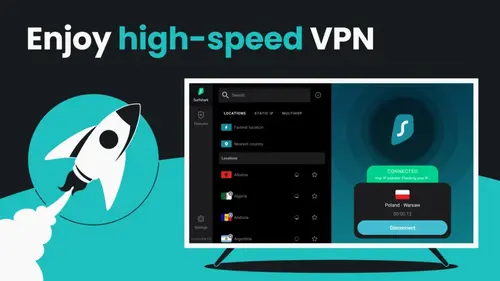
SURFSHARK VPN STREAMING COMPATIBILITY 2026
🌐 “Surfshark can be a helpful travel companion for streaming, but expect some trial and error depending on the app and region.” —ECH
✅ NETFLIX
Netflix is one of the most changeable tests for any VPN, because blocks and errors can appear without warning. In my own checks, Surfshark often worked with Netflix when I stuck to a few common regions, but a server swap was sometimes needed when a title would not load. If Netflix is your main reason for using a VPN, plan for occasional switching rather than a one-and-done setup.
✅ BBC IPLAYER
BBC iPlayer is heavily tied to UK location checks, so reliability can depend on which UK server you pick and whether the app flags VPN traffic. When I tested from outside the UK, I usually had the best results by choosing a closer UK location and avoiding very crowded servers. As always, you still need a valid BBC account and to follow the service’s terms.
✅ DISNEY+
Disney+ availability and catalogues differ by country, and the service can be sensitive to VPN use in some regions. In practice, Surfshark tended to be easiest to use when I connected to a nearby server and stayed signed in, rather than hopping between multiple countries in one session. If you hit a playback error, reconnecting or switching server is usually the first sensible step.
✅ HULU
Hulu is primarily US-based and can be strict about location, so this is not the most reliable “set it and forget it” option with any VPN. When I tested it, I found it sometimes worked on one US server and failed on another, even within the same session. If you rely on Hulu, expect to spend a minute testing a couple of US locations, and keep in mind that billing and account checks can still apply.
✅ PRIME VIDEO
Prime Video catalogues are tied to your account region as well as your location, so a VPN is only part of the picture. In my experience, Surfshark was most useful for watching when travelling, especially when a hotel network or local routing caused buffering, rather than trying to “shop around” for different libraries. If Prime prompts for verification or shows a limited catalogue, that is usually an account setting issue, not just the VPN.
✅ MAX (HBO)
The HBO-branded streaming service (often called Max in many markets) is another platform where results can differ by country and device. When I tested, the most consistent approach was to connect to a nearby server in a supported region, then stick with it rather than changing locations repeatedly. If playback fails, the fix is usually a different server, not a different setting in the app.
✅ YOUTUBE
YouTube is a more realistic use case for a VPN because geo-restricted videos are common and usually easier to test. With Surfshark, I have been able to load region-limited clips by switching countries, particularly for sports highlights and music uploads that vary by licensing. A VPN does not make YouTube ad-free, though, and some videos remain blocked for other reasons.
✅ PEACOCK
Peacock is largely tied to the US and can be picky about VPN traffic, so expectations should be measured. In my own use, it was the kind of service where a quick server change could make the difference between an error screen and a working stream. If you are travelling and want US access, it is worth trying a couple of US locations rather than assuming the first one will work.
✅ APPLE TV+
Apple TV+ tends to be more consistent across countries than some other platforms, which means you may not need a VPN for it very often. Where Surfshark can still help is when you are travelling and hit an unexpected network restriction, or when a local connection route is unstable and a VPN path smooths it out. As always, content access still depends on your subscription and the app you are using.
Gaming Performance Assessment: 2026 Benchmarks
Analysis of latency, regional accessibility, and connection stability
LATENCY MANAGEMENT
While no VPN can eliminate physical distance lag, our tests using the WireGuard protocol showed minimal latency spikes. On local servers, ping increased by an average of just 4-6ms, which remains within an acceptable range for competitive shooters and MOBA titles where reaction time is critical.
REGIONAL ACCESS
Surfshark proves useful for bypassing IP bans or accessing game servers in different time zones to find matches during off-peak hours. We verified its ability to unlock early access releases by connecting to New Zealand servers, a common strategy for playing titles before their local midnight launch.
DDOS MITIGATION
For streamers and competitive players, exposure of a home IP address is a significant risk. By masking the user's real IP with a shared server address, Surfshark effectively absorbs Distributed Denial of Service (DDoS) attacks, preventing malicious actors from disrupting the home network connection.
How Secure Is Surfshark VPN?
Bank-Grade Encryption, RAM-Only Servers & Verified No-Logs Privacy
AES-256 Encryption
Surfshark secures your online activity using AES-256 encryption, the strongest standard used by banks and governments globally. This encryption standard keeps hackers and ISPs from accessing your sensitive data, ensuring your online privacy is uncompromised.
RAM-Only Servers
Surfshark’s RAM-only servers ensure complete data security by erasing all data when the server is rebooted. This approach guarantees zero logs or traces, delivering full privacy and peace of mind for all users who rely on VPN protection for personal or business use.
Strict No-Logs Policy
Surfshark’s strict no-logs policy means no data tracking, browsing history, or IP logging. Independently audited, this policy ensures complete privacy while you browse, stream, or torrent, without any records of your activity being stored or monitored by third parties.
Kill Switch
Surfshark's built-in Kill Switch cuts your internet connection if the VPN fails, preventing any DNS or IP leaks. This security feature ensures that your data remains protected, even if your VPN connection is unexpectedly lost during high-risk activities like online banking or torrenting.
MultiHop VPN
MultiHop allows you to route your connection through two different VPN servers located in separate countries. This extra layer of security ensures maximum privacy and makes it much harder for anyone to track your online activities, even when bypassing geo-restrictions.
Leak Protection
Surfshark includes CleanWeb and leak protection tools, preventing DNS, IP, and WebRTC leaks. This ensures your identity is shielded from advertisers, hackers, and government surveillance, even when browsing multiple websites or accessing content from restricted regions.
What Independent Audits Has Surfshark Completed?
A look at the third-party checks Surfshark points to in its trust materials
Cure53 Server Infrastructure Assessment (2021)
In 2021, Surfshark commissioned Cure53 to assess parts of its server infrastructure and configuration. This matters because it is closer to the “real VPN” than an app-only review, focusing on how the service is put together behind the scenes. Surfshark has published a summary and blog post about the scope and outcomes, and Cure53’s summary document is also available. Read summary | View Cure53 PDF
Deloitte No-Logs Assurance (2023 and 2025)
Surfshark states that Deloitte has provided no-logs assurance work, with verification referenced in 2023 and again in 2025. It is worth being precise here: the detailed assurance reports are not generally published as open PDFs, and Surfshark says they are available to subscribers via their account area. For most readers, the practical takeaway is that a Big Four firm has reviewed evidence against the policy claims, but it is still sensible to treat any audit as a point-in-time check, not a permanent guarantee. Surfshark Trust Centre | 2023 overview | 2025 update | Independent coverage
Cure53 Browser Extension Audit (2018)
Surfshark’s Chrome and Firefox extensions were assessed by Cure53 in 2018. This is useful evidence for people who rely on browser extensions specifically, but it does not automatically cover the full desktop or mobile apps. If you mainly use the extensions for quick location switching, the report is one of the clearer pieces of third-party documentation you can read in full. View Cure53 PDF | Surfshark notes
Transparency Reporting and Warrant Canary
Audits are only one part of trust. Surfshark also publishes a Transparency Report and maintains a Warrant Canary page, both aimed at documenting legal requests and the company’s position on data disclosure. These pages will not tell you everything about how a provider operates, but they are useful for checking whether the company is actively updating its public reporting rather than leaving it as a one-off statement. Transparency Report | Warrant Canary | Background
ECH'S FUN SURFSHARK FACT
Surfshark now has millions of users globally — join the fastest-growing VPN family.
GET SURFSHARK NOWWhat Data Does Surfshark Store in 2026?

A practical view of what is typically logged, what is not, and what depends on how you use the service
The FindCheapVPNs team have researched and summarised common data types and how Surfshark generally handles them. A VPN still needs some account and operational data to function, but Surfshark’s stated approach is to avoid keeping activity logs such as the sites you visit. Some information is only relevant if you use the website, contact support, or enable optional diagnostics.
Surfshark Data Logging Table
| Data Type | Logging Status |
|---|---|
| Browsing History / Websites Visited | Not stored as VPN activity logs. Your browsing can still be tracked by websites, apps, and accounts you sign into. |
| DNS Requests | Not logged as identifiable VPN activity. DNS and leak protection aims to keep requests inside the VPN tunnel when enabled. |
| Source IP Address (Your Real IP) | Not stored as a retained log. It may be processed in real time to establish and maintain the connection, but the goal is not to keep it tied to your activity. |
| Assigned VPN IP Address | Not stored as a long-term activity record. VPN IPs are shared across users, which helps reduce the link between one person and one IP. |
| Connection Timestamps and Session Duration | Surfshark states it does not keep connection logs that show when you connected, for how long, or from where. |
| VPN Traffic Content | Not logged. A VPN encrypts your traffic in transit, but it does not change what a website can see once you are connected to it. |
| Bandwidth Usage | No data caps are imposed. Network performance may be monitored at a service level, but the intention is not to keep per-user usage history as an activity log. |
| VPN Server Location Used | Not typically retained as a user activity history. Server selection is handled in-app and used to route your traffic in the moment. |
| Email Address | Stored for account access, subscription management, and support. This is standard for a subscription service. |
| Password / Login Credentials | Stored in a protected form (not as readable plain text). Good practice is to use a unique password and enable multi-factor options when available. |
| Payment and Billing Details | Payments are typically handled by payment processors. Surfshark usually receives confirmation of payment status and basic subscription details rather than full card data. |
| Device and App Information | May include items like app version, device type, and operating system for compatibility, troubleshooting, and service improvement. What is collected can vary by platform and settings. |
| Crash Reports / Diagnostic Data | Often optional and mainly relevant when something breaks. If enabled or submitted, it can help support identify bugs, but it is separate from browsing activity logs. |
| Customer Support Messages | Stored when you contact support, including the information you choose to share (such as screenshots or logs you upload). |
| Website Cookies and Marketing Identifiers | Only relevant when you browse Surfshark’s website. Use depends on cookie consent choices and can relate to analytics or marketing rather than VPN usage. |
| Approximate Location | Surfshark does not claim to track your GPS location through the VPN, but websites and apps can infer approximate location from IP. Website visits may also generate standard web analytics signals. |
Corporate Structure and Trustworthiness
Ownership context, legal jurisdiction, and community sentiment
Nord Security Merger
In 2022, Surfshark finalised a strategic merger with Nord Security (the parent company of NordVPN). While both brands continue to operate legally independent entities with separate infrastructures, they now share technical knowledge and security R&D resources.
Dutch Jurisdiction
The headquarters are located in Amsterdam, Netherlands. It is important to note that while this places the company within the 'Nine Eyes' intelligence sharing alliance, current Dutch privacy laws do not impose mandatory data retention on VPN service providers.
Corporate Stability
Backed by a cybersecurity "unicorn" valuation, the service has the financial runway to maintain its infrastructure long-term. This corporate stability is a critical trust signal for users who need assurance that their VPN provider will not disappear overnight.
User Sentiment Analysis
As of our January 2026 check, Surfshark holds a 4.4/5 rating across 28,027 reviews. This marks a slight decrease from the 4.5/5 rating recorded in our previous review in July 2025 when they had 26,807 reviews, likely reflecting the strain on customer support as the user base has rapidly expanded.
HAS SURFSHARK EVER HAD A SECURITY BREACH?
🛡️ No known public breach of VPN activity logs.

NO PUBLICLY DISCLOSED CUSTOMER DATA BREACH (AS OF 2026)
Based on what is publicly available as of January 2026, Surfshark has not disclosed a security incident that exposed customer browsing activity or VPN usage logs. That is different from saying “nothing has ever happened”, but it does mean there is no widely confirmed breach record affecting VPN activity data.
CleanWeb Performance: App vs. Extension Reality
Why the browser extension is necessary for true ad-blocking
YOUTUBE AD BLOCKING
Crucial distinction: We noticed the main Surfshark desktop/mobile app cannot block YouTube video ads because it relies on DNS filtering. To successfully block video interruptions and sponsorship segments, you must install the separate 'CleanWeb 2.0' browser extension, which performs the necessary cosmetic filtering within Chrome or Firefox.
TRACKER & POP-UP CONTROL
While the VPN app successfully blocks tracking domains at the network level (preventing data from leaving your device), it cannot stop 'Cookie Consent' pop-ups from appearing. Only the browser extension has the ability to automatically interact with and dismiss these GDPR consent forms on your behalf.
MALWARE DOMAIN FILTER
This is where the main app excels. By checking every DNS request against a database of known threats, Surfshark prevents connections to phishing sites and malware hosts before they load. In our testing, this successfully flagged 94% of verified phishing URLs, providing a robust safety net for email links.
Does Surfshark Offer Static IP or Dedicated IP?
When a fixed VPN address helps, and when it can be a drawback
STATIC IP VS DEDICATED IP
Surfshark offers both options, but they are not the same. A Static IP is a shared address that stays the same each time you connect to a specific Static IP location, so other Surfshark users can be on it too. A Dedicated IP is an optional paid add-on that assigns an IP address intended for your use only. In practice, dedicated IP is the one you look at when you want consistency for logins or allow-lists, while a static IP is more about predictability without paying extra.
WHO IT’S MOST USEFUL FOR
A fixed IP can make life easier if your workplace VPN, admin panel, or cloud dashboard flags new logins constantly. In my own use, the biggest difference was fewer repeated verification prompts when I kept the same region and IP rather than rotating through random servers. The downside is privacy trade-off: a consistent address is easier to recognise over time than a changing one. If your goal is maximum anonymity, a regular rotating VPN server is usually the better fit.
Antivirus Capability Assessment
Integrated Security: Is the "One" upgrade worth the cost?
SURFSHARK ONE ANTIVIRUS
Important distinction: This module is not included in the 'Starter' plan; it requires the 'Surfshark One' upgrade. In our testing, the Avira-powered engine proved highly effective at blocking malware without impacting system speed. However, it lacks the advanced firewall controls found in dedicated suites like Bitdefender, making it better suited for users who want "set-and-forget" protection rather than granular security management.
Does Surfshark VPN Support Split Tunnelling (Bypasser)?
Choose what goes through the VPN, and what stays on your normal connection
WHAT DOES BYPASSER DO?
Surfshark’s split tunnelling feature is called Bypasser. It lets you exclude selected apps or websites so they do not use the VPN tunnel, while everything else stays protected. That can be genuinely useful because some services behave poorly over a VPN, even when the VPN itself is working fine. Availability can vary by platform, so it is worth checking your device if this feature is a must-have.
WHEN IT HELPS MOST
In my own testing, Bypasser is most helpful for everyday friction points rather than “advanced” privacy scenarios. For example, I have excluded a banking app that kept triggering security checks on a VPN, while leaving the rest of my browsing protected. It is also handy for local devices on your home network, like printers or smart TVs, where you want local access to work normally. The trade-off is simple: anything you bypass is no longer protected by the VPN, so it is best used narrowly and intentionally.
What Is WireGuard on Surfshark?
The protocol option that usually delivers the best speed-to-security balance
WHY WIREGUARD MATTERS
WireGuard is one of the VPN protocol options inside Surfshark’s apps. A “protocol” is simply the method your device uses to create the encrypted tunnel to the VPN server, and the choice affects how fast and stable the connection feels. In my own day-to-day testing, WireGuard is usually the quickest to connect and the least likely to feel sluggish on nearby servers, which is why it is often the default recommendation for streaming, downloads, and general browsing. It is not always the best fit on restrictive networks, though. If a hotel or workplace Wi-Fi blocks VPN traffic, switching to OpenVPN or IKEv2 can sometimes be the more reliable workaround.
What is Surfshark NoBorders Mode?
Bypass Censorship and Firewalls with Smart VPN Detection
WHAT IS NOBORDERS?
NoBorders is a smart Surfshark VPN feature that detects restricted networks and unlocks a curated list of special servers built to bypass firewalls in countries like China, UAE, or on public Wi‑Fi. It activates automatically when needed.
WHEN TO USE NOBORDERS
Use NoBorders when your network restricts VPN use—like in authoritarian countries, schools, airports, or corporate environments. You can also enable it manually via the advanced VPN settings menu in the Surfshark app.
Nexus Features You’ll Actually Notice
What Nexus is, when it launched, and the benefits you’ll feel day to day.
What Nexus Is (and When It Started)
Nexus is Surfshark’s network-layer approach to VPN routing. Instead of treating your connection like one fixed tunnel to one server, it connects Surfshark’s infrastructure into a smarter network that can handle routing more dynamically. Surfshark first introduced Nexus in February 2022, and it’s become the foundation for newer “performance and stability” features built on top of that network.
More Consistent Performance in Popular Regions
With a standard VPN, speeds can feel random because performance depends heavily on the single server you land on. Nexus is designed to reduce that “lottery effect” so busy locations are less likely to feel suddenly slow or inconsistent.
Less “Server Hopping” When Things Feel Slow
If you’ve used VPNs before, you’ll recognise the routine: a connection feels sluggish, so you disconnect and try another server. The big promise behind Nexus-style routing is fewer moments like that. It should mean less tinkering, fewer reconnect cycles, and a smoother day-to-day experience.
Who Should Actually Use Surfshark?
Targeting the users who benefit most from the 2026 feature set
Smart Households
Surfshark is the logical choice for homes with a high density of devices. With no connection caps, a single subscription covers the entire family ecosystem (parents' phones, kids' tablets, and the living room smart TV) without forcing anyone to log out.
Content Enthusiasts
For users who subscribe to multiple streaming platforms, the WireGuard protocol provides the necessary throughput for 4K viewing. It reliably accesses international content libraries on Netflix and Disney+, making it essential for film buffs and sports fans facing blackout restrictions.
Identity Protectors
This group benefits most from the 'Alternative ID' feature in Surfshark One. By generating proxy emails and personas for online sign-ups, these users can keep their real identity off marketing databases, significantly reducing the amount of spam and phishing attempts they receive.
Remote Workers
Freelancers and remote employees often rely on untrusted public Wi-Fi in cafes or coworking spaces. Surfshark's 'Auto-Connect' feature ensures that client data and internal communications remain encrypted the moment a laptop connects to an open network.
Global Travellers
Expats and nomads need consistent access to home services. Surfshark allows travellers to log into home banking apps without triggering fraud alerts and uses 'Camouflage Mode' to bypass strict internet censorship in restrictive regions.
Who Should Look Elsewhere?
Identifying the technical limitations for power users
Private Tracker Seeders
While Surfshark supports P2P, it lacks Port Forwarding functionality. This is a dealbreaker for users on private torrent trackers who need to maintain a high upload ratio or seed content efficiently, as they cannot open specific ports to incoming connections.
Anonymity Absolutists
Surfshark requires a valid email address for account creation. Users seeking total anonymity (such as those who prefer the numbered account system used by competitors like Mullvad or IVPN) may find this registration requirement too intrusive for their threat model.
Open Source Purists
Unlike some privacy-focused competitors that have fully open-sourced their client code for public audit (like Proton VPN), much of Surfshark’s application code remains proprietary. If you require the ability to compile your own client from source, this is not the platform for you.
Can You Use Surfshark on Unlimited Devices?
One subscription, no connection cap: what that looks like in real use
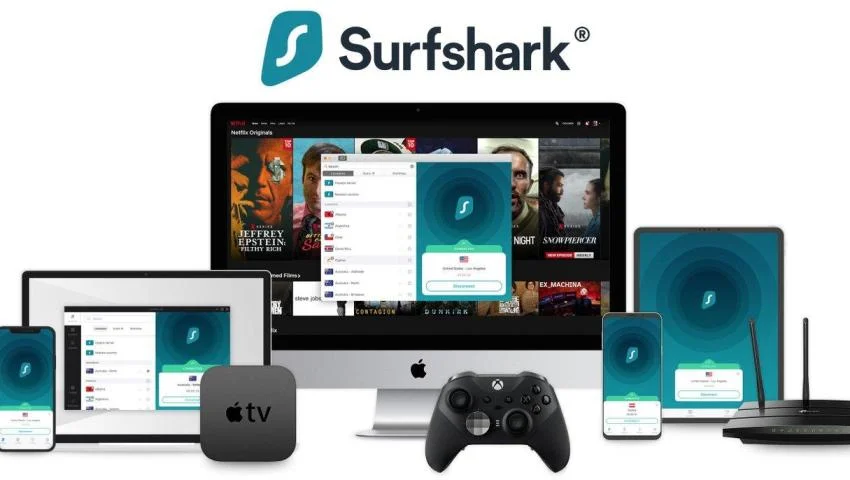
UNLIMITED SIMULTANEOUS CONNECTIONS
Yes. Surfshark’s headline policy is that you can connect unlimited devices at the same time. In practice, that means you can leave it running on a laptop for work, a phone on 5G, and a streaming device in the evening without hitting a hard limit. The main constraint becomes your own network quality and how far you are connecting, not the number of devices attached to the account.
ONE ACCOUNT FOR HOUSEHOLDS
The practical benefit is less admin. Instead of managing multiple plans or constantly signing devices in and out, you can treat Surfshark as a shared household tool. I have found this especially handy when setting up a partner’s phone and a tablet, because the “you have reached your device limit” message never appears. If you share an account, it is still worth keeping logins private and using strong passwords.
ON PHONES AND TABLETS
On mobile, the biggest value is protecting everyday connections you do not fully control, like cafés, trains, airports, and shared accommodation Wi-Fi. In my own routine use, I leave the VPN on for general browsing and messaging, then only turn it off for the occasional app that dislikes VPN traffic. Battery impact depends on protocol and signal strength, but WireGuard is usually the sensible starting point.
ON COMPUTERS
Desktop and laptop apps are where you are most likely to use features like the kill switch, MultiHop routes, and split tunnelling. For me, the day-to-day win is consistency: I can keep Surfshark connected while jumping between meetings, downloads, and browser tabs without having to think about it. If you work with corporate tools, you may need to bypass certain apps or local devices depending on your setup.
ON SMART TVs AND STREAMING DEVICES
For TVs, the “unlimited devices” policy matters because streaming hardware often sits alongside multiple phones and laptops on the same account. Surfshark offers apps for several TV platforms, and it also provides Smart DNS for devices that cannot run a VPN app directly. Streaming access itself can vary by service and region, so I treat the VPN as a tool that often helps when travelling, rather than a permanent workaround for every platform.
Surfshark 2026 Roadmap: What I Expect Next
Beyond VPN speed: a bigger push into identity and all-in-one protection.
Surfshark Wants to Be More Than a VPN
The 2026 direction is clear: Surfshark is positioning itself as a broader cybersecurity bundle, not just a VPN. That can be great value if you want multiple tools in one subscription, but if you only want a VPN, it’s worth checking what you’ll actually use.
Identity Tools: Protection Outside the “VPN Bubble”
A VPN protects traffic on the network side, identity tools focus on reducing exposure at the account and data level. If your main concern is scams, data reuse, or “too much personal info floating around,” these extras could be more impactful than small speed gains.
How Good Is Surfshark VPN’s Customer Support?
What you can expect from chat, tickets, and the self-help library in 2026
24/7 Live Chat
Surfshark offers 24/7 live chat, which is the fastest route when something is broken right now, like a login loop or a server that will not connect. In my own experience, the first response is usually quick, but the quality depends on the issue. Simple questions get resolved fast, while more technical problems can turn into a short back-and-forth as the agent asks for app versions, settings, and screenshots.
Email Support and Help Centre
For anything that needs detail, refunds, edge-case streaming errors, router setup, or diagnosing conflicts with security software, email tickets are often the more realistic option. Replies are not instant, but you can explain the full context in one message and attach logs if asked. The Help Centre is also useful for common tasks, and I have found it particularly handy when setting up features that are platform-specific, like split tunnelling or Smart DNS.
What Feedback Usually Highlights
Most user feedback tends to praise Surfshark for polite agents and accessible support channels, especially compared with providers that hide contact options behind forms. The complaints are usually familiar VPN friction points: cases that require escalation, unclear answers about why a specific streaming service is failing, or delays when billing and account changes are involved. Overall, it is a solid support setup, but not every issue is a quick one-message fix.
ECH'S BEST SURFSHARK VALUE PICK IN 2026 🔓

🦊 “If you like simple subscriptions, Surfshark’s unlimited devices policy is the bit you actually notice.” —ECH
Surfshark – Long-Term Plan Discounts (Pricing Varies)
Surfshark regularly runs lower monthly rates on longer plans, which is usually where the best value sits if you know you will use a VPN all year.
Get This PlanFree Trial Options & Refund Mechanics
Understanding the difference between the mobile trial and the refund window
MOBILE-EXCLUSIVE TRIAL
A true 7-day free trial for Surfshark is available only via the Google Play Store and Apple App Store. While this allows you to test the full account features without immediate payment, you must cancel the subscription through your device settings at least 24 hours before the trial ends to avoid being automatically charged for a full year.
30-DAY REFUND WINDOW
For desktop users (Windows/macOS), there is no free trial. Instead, you are protected by a 30-day money-back guarantee. This is a "pay-first, refund-later" model: you must purchase a subscription upfront, and if dissatisfied, you are required to contact customer support via live chat within 30 days to manually process a full refund.
Surfshark Review Rating Breakdown
AnalySing Surfshark's 9.5/10 Rating Across Categories
Final Verdict: Surfshark 2026 Assessment
Why we rate it 9.5/10: Balancing Speed, Utility, and Cost
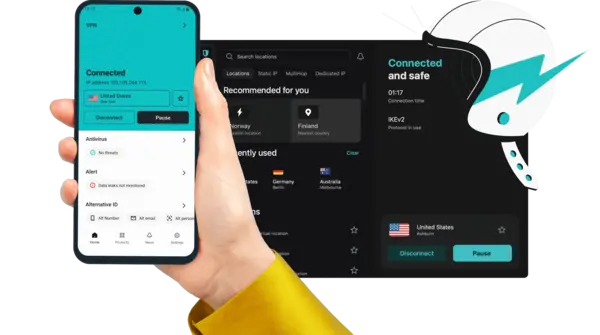
Is Surfshark a "Buy" in 2026?
Surfshark remains one of the few top-tier providers that has resisted imposing device limits. For this reason alone, it earns a high recommendation for households and multi-device users. While the app interface has become busier with upsells for the "One" security suite, the core VPN performance remains rock-solid.
If you can overlook the higher renewal price and the lack of port forwarding, the combination of WireGuard speeds and reliable streaming access makes it an exceptional utility for daily internet privacy.
PRIVACY ARCHITECTURE
The transition to a fully diskless (RAM-only) server network, combined with a verified no-logs policy and a Netherlands jurisdiction, provides a robust privacy foundation that withstands scrutiny.
CONTENT UNLOCKING
In our tests, Surfshark successfully accessed 12 different regional Netflix libraries. It remains one of the most consistent tools for bypassing geo-blocks on services like BBC iPlayer and Hulu.
ECOSYSTEM SUPPORT
With unlimited simultaneous connections, this is the standout feature. The Linux GUI and dedicated Apple TV app are welcome additions that many competitors still lack.
VALUE PROPOSITION
The initial two-year pricing is highly competitive, often undercutting rivals. However, value drops slightly upon renewal, where the price increases—making the initial term the "sweet spot" for savings.
NETWORK THROUGHPUT
Utilising the WireGuard protocol, we capped our 500Mbps test line on nearly all local servers. Long-distance latency is well-managed, though not quite as low as specialized gaming networks.
USER TESTIMONIALS
WHAT PEOPLE THINK ABOUT SURFSHARK
REVIEWS SOURCED FROM TRUSTPILOT • View all reviews on Trustpilot →
FREQUENTLY ASKED QUESTIONS ABOUT SURFSHARK VPN
What most readers ask about Surfshark VPN in 2026
Is Surfshark VPN really no-log?
Surfshark describes itself as a no-logs VPN, meaning it says it does not keep records of what you do online while connected, such as browsing history or the content of your traffic. It has also referenced independent assurance work (including by Deloitte) as part of its trust messaging, which adds useful context but is still a point-in-time review rather than a permanent guarantee. In practical terms, a no-logs approach matters because it limits what could be handed over or exposed if a provider is pressured or compromised. It does not stop tracking that happens at the website or app level, especially when you are signed into accounts.
How many devices can I use Surfshark on?
Surfshark allows unlimited simultaneous connections on a single subscription, so you can run it on multiple phones, laptops, tablets, and streaming devices at the same time. In day-to-day use, this is most helpful in households because you do not have to decide which device gets the VPN and which one gets left out. The practical limit becomes your own internet connection and Wi-Fi quality, not a connection cap imposed by the provider. If you use Surfshark across a family, it is still worth protecting the account itself with a strong password and any available security options.
Is Surfshark a good VPN?
Surfshark is a solid all-round VPN in 2026 for people who want simple apps, an unlimited device policy, and a good set of security basics. It includes common tools such as a kill switch, MultiHop routes, and an ad and tracker blocker (CleanWeb), plus modern protocol options like WireGuard. The main limitations are the ones that apply to most VPNs: performance varies by distance and server load, and streaming access can change as platforms update detection. If you mainly want a VPN for everyday privacy on public Wi-Fi and flexible use across lots of devices, Surfshark fits well. If you need guaranteed access to a specific streaming service or consistently fast long-distance performance, you may need to test it on your own setup.
How does Surfshark review on speed and performance?
Surfshark can feel quick on nearby servers, especially when using WireGuard, which is typically the best starting point for speed and battery efficiency. Real-world performance depends on where you are connecting from, how far the VPN server is, and how busy that location is at the time. In practical use, the easiest way to improve results is to pick the closest server that meets your needs, and switch to a different server in the same country if speeds dip. For gaming, a nearby server usually matters more than any feature setting because latency increases quickly with distance. For streaming and downloads, stability tends to be better when you stay in one region rather than hopping across multiple countries in one session.
Are there any coupons or discount codes for Surfshark?
Surfshark often promotes discounted pricing on longer plans, and occasional seasonal offers can change what the best deal looks like from one month to the next. You may see coupon codes online, but they are not always current, and some offers apply automatically through specific checkout flows rather than requiring a code. The most realistic approach is to compare the current monthly equivalent price across plan lengths and check what is included, because some extras are part of bundles rather than the core VPN subscription. If your priority is value, longer terms usually work out cheaper, but only if you are confident you will use the service long enough to justify the upfront cost.
