
Does VPN Work for Changing Snapchat Location?
What a VPN can change, what Snap Map usually ignores, and the safer privacy settings to use first
Does a VPN work for changing Snapchat location? Sometimes, but only for IP-based location signals. A VPN can make your internet connection appear to come from another city or country. That can affect approximate location checks, login context, network routing and some web-based experiences.
It usually will not change your Snap Map location by itself. Snap Map and Snapchat location sharing normally rely on the location supplied by your phone, not just the IP address of your VPN server. If Snapchat has access to your device location, connecting to a VPN in another country is unlikely to make your Bitmoji jump there.
If your goal is privacy, start with Snapchat's own controls: Ghost Mode, friend-level sharing choices and your phone's location permissions. A VPN is still useful for network privacy, especially on public Wi-Fi, but it is not a magic GPS switch.
VPNs can change your IP location, not your phone's GPS location. For Snapchat location privacy, combine a reputable VPN with Ghost Mode and device-level location controls.
Changing IP-based location
A VPN routes Snapchat traffic through a VPN server, so websites and services may see the VPN server's IP address instead of your normal home or mobile IP.
Changing Snap Map
Snap Map is tied to Snapchat location sharing and device location permissions. A VPN alone normally does not override GPS, Wi-Fi or mobile location data.
Public Wi-Fi privacy
A VPN can encrypt traffic between your device and the VPN server, reducing exposure on hotel, airport, cafe and school Wi-Fi networks.
Login and account checks
Changing countries or using overloaded free VPN servers can trigger unusual-login checks, failed sends or temporary connection problems.
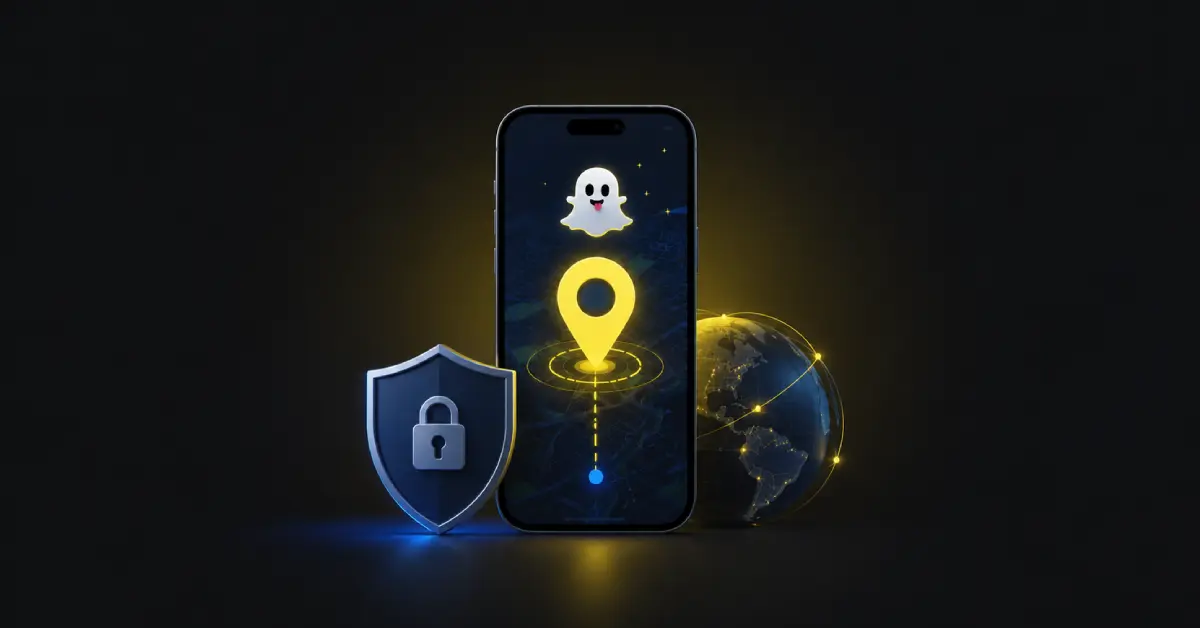
How Snapchat Works Out Your Location
Snapchat can receive more than one type of location signal. The most important distinction is IP location versus device location.
IP location comes from the network address used by your internet connection. A VPN can change this by replacing your normal IP address with the IP address of a VPN server. Device location is different. It can come from GPS, Wi-Fi positioning, Bluetooth, mobile network data and your phone's operating-system permissions.
Snapchat's help pages say Snap Map location sharing is off by default and that only people you choose can see your location when sharing is enabled. Snapchat also provides Ghost Mode, friend-level controls and device-permission guidance for users who want to stop sharing location.
| Snapchat area | Will a VPN change it? | Why |
|---|---|---|
| Approximate IP location | Usually yes | Snapchat may see the VPN server IP rather than your direct internet IP. |
| Snap Map location sharing | Usually no | Snap Map is controlled by Snapchat location sharing and device location permissions. |
| My AI local recommendations | Maybe, but unreliable | My AI can use Snapchat's knowledge of your location when location is available, so IP alone may not be decisive. |
| Login country or network context | Often yes | A VPN can make your session look like it is connecting from the VPN server's country. |
| Ad, content or network behaviour | Sometimes | Apps may combine IP, device settings, account history and other signals. |
What a VPN Can Actually Do on Snapchat
A VPN is most useful when you want to protect your connection or change the public IP address Snapchat sees. That can help when a local network blocks Snapchat, when you are on public Wi-Fi, or when you want your home IP address hidden from the apps and services you connect to.
It is less useful if your aim is to spoof a precise Snap Map position. Snapchat can receive device location data separately from your IP address. That means you can connect to a VPN server in New York while your phone still tells Snapchat you are physically in London.
Good use case: network privacy
Use a VPN on public Wi-Fi to reduce the amount of information a local network can see about your connection.
Good use case: blocked networks
A VPN may help if Snapchat is blocked by a school, workplace, hotel or public hotspot, as long as using one does not break local rules.
Weak use case: Snap Map spoofing
A VPN does not normally replace the device location used for Snap Map sharing.
Risky use case: shady free VPNs
Untrusted free VPNs can be slow, heavily logged, ad-filled or abused by spammers, which may cause Snapchat connection issues.
Does a VPN Change Snap Map Location?
Usually, no. Snap Map is a location-sharing feature. Snapchat says location sharing is off by default and can be limited to selected friends. When sharing is enabled, your displayed location depends on Snapchat's access to your device location and your Snap Map privacy settings.
If you want friends to stop seeing where you are, use Ghost Mode. Snapchat says Ghost Mode hides your location from other Snapchatters on the Map, although your location may still be shared with Snap. You can also change the phone-level permission so Snapchat can access location only while using the app, less precisely, or not at all, depending on your device.
Simple rule: a VPN changes the network route. Ghost Mode and device permissions control whether Snapchat can use and show your device location.
Why Snap Map may still show your real area with a VPN on
- Your phone still has GPS or location services enabled for Snapchat.
- Snapchat has permission to use location while the app is open or in the background.
- Your Snap Map setting is still sharing with friends, selected friends or a custom group.
- Your last shared location may remain visible for a period depending on permissions and app use.
- The VPN server changes IP location, not the device location APIs used by your phone.
Does a VPN Change Snapchat My AI Location?
Snapchat says My AI can use Snapchat's knowledge of your location and nearby places to provide personalised local recommendations when you ask for them. A VPN may change one network clue, but it is not a dependable way to change all the location context Snapchat already has or can access through device permissions.
For My AI privacy, change Snapchat's location permission in your phone settings and review the My AI location-sharing guidance. Do not rely on a VPN as the only control if your goal is to prevent location-aware recommendations.
How to Hide or Limit Your Snapchat Location Properly
The cleanest privacy setup is to control the location permission directly, then use a VPN for network privacy. That way, you are not expecting a VPN to do the job of an operating-system permission.
1. Turn on Ghost Mode
Open Snap Map settings and turn on Ghost Mode if you do not want other Snapchatters to see your location on the Map.
2. Limit friend sharing
Use My Friends, My Friends Except or Only These Friends to control exactly who can see your location when sharing is enabled.
3. Change phone permissions
Use iOS or Android location settings to allow Snapchat location access only when needed, or disable it fully.
4. Add a VPN for privacy
Connect to a reputable VPN to protect traffic on risky networks and hide your normal IP address from direct network checks.
Why Snapchat Might Not Work Properly With a VPN
Some Snapchat issues are caused by the VPN server rather than Snapchat location itself. If Snaps will not send, chats hang, stories fail to load or login verification appears, test the basics before changing account settings.
- Switch to another VPN server in the same country.
- Avoid overloaded free VPN locations that many people abuse.
- Use WireGuard, IKEv2 or another fast mobile-friendly protocol if your VPN app supports it.
- Turn the VPN off briefly to confirm whether the VPN is the cause of the Snapchat issue.
- Keep Snapchat and your VPN app updated from the official app store.
- Do not rapidly jump between distant countries during the same Snapchat session.
Account-safety note: a VPN should not be used to harass, impersonate, evade account restrictions or break Snapchat's rules. Use it for privacy and security, not to mislead friends about your real-world safety or availability.
Common Myths About VPNs and Snapchat Location
Frequently Asked Questions
Does a VPN work for changing Snapchat location?
A VPN can change the IP address and approximate internet location Snapchat sees, but it usually does not change the GPS location supplied by your phone. For Snapchat location, the key distinction is IP location versus device location.
Will a VPN change my Snap Map location?
Usually no. If Snapchat has device location permission, Snap Map normally relies on your phone's location rather than your VPN server's IP location. Ghost Mode and device location permissions are the better controls for Snap Map privacy.
Why does Snapchat still show my real location when my VPN is on?
Because your phone may still be giving Snapchat device location through location services. A VPN changes the network route and visible IP address, but it does not automatically replace GPS, Wi-Fi or mobile-network location data.
Does a VPN change Snapchat My AI location?
A VPN may affect IP-based clues, but it is not a reliable way to change the location context available to My AI. Snapchat says My AI can use Snapchat's knowledge of your location for local recommendations when location is available.
What should I change if I want to stop sharing my Snapchat location?
Use Snapchat's location controls first. Turn on Ghost Mode to hide your location from other Snapchatters on Snap Map, and change your phone's location permission for Snapchat if you want to limit or stop device-location access.
Official Sources Used for This Snapchat Location Guide
This article separates IP location from device location and relies on Snapchat's own help pages for Snap Map, Ghost Mode, permissions and My AI location behaviour.
- Snapchat Help: how to share location on Snap Map
- Snapchat Help: Snap Map privacy and safety reminder
- Snapchat Help: how to turn on Ghost Mode
- Snapchat Help: how long location stays on Snap Map
- Snapchat Help: changing Snapchat permissions on iOS
- Snapchat Help: how My AI uses location data
- Snapchat Help: managing location data shared with My AI